almudio

3D SPACE

Accurate enough to mix with. Beautiful enough to post.

One-time $39.99. No subscription.

WindowsmacOS
VST3AUAAXStandalone
3D SPACE$39.99One-time
NEW

The details.

Views2D · 3D · CYMA
Analysis8192-point FFT · logarithmic bands · calibrated dBFS
Latency0 samples
Presets15 built-in, plus your own

Capture

Photo capturePNG · 3840 × 2160 or 2160 × 3840
Video captureMP4 · H.264 · 60 fps · 1600 × 900 or 900 × 1600 · AAC stereo sound
SkinsDark · Silver

ONE-TIME ✦ NO SUBSCRIPTION

3D✦2D✦CYMA✦Freeze✦Capture✦Dark✦Silver✦3D✦2D✦CYMA✦Freeze✦Capture✦Dark✦Silver✦

THREE VIEWS

Spectrum analyzer. 3D spectrogram. Cymatics visualizer.

One click switches between them. Every view reads the same live analysis of whatever is playing through the plugin.

3D SPACE ✦ 3D

VIEW 01

3D

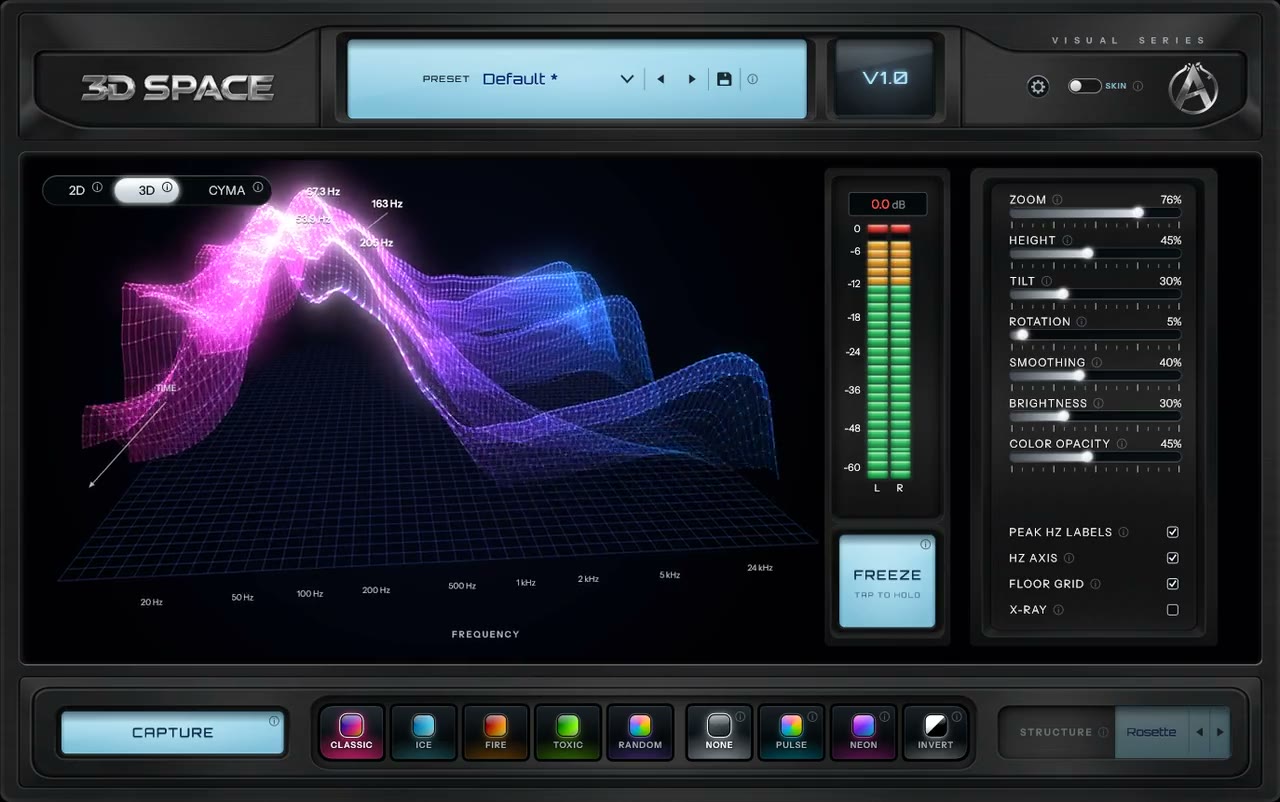
A 3D spectrogram: the spectrum as a landscape that moves through time, like a 3D waterfall display, so you can watch how the low end moves. Drag to turn and tilt it, scroll or use the Zoom fader to move the camera in, and turn up Rotation to let it spin.

3D SPACE ✦ 2D

VIEW 02

2D

A classic spectrum line with its own zoom. Peak labels name the loudest frequencies and their level.

3D SPACE ✦ CYMA

VIEW 03

CYMA

A cymatics visualizer: a pattern driven by the frequency that leads your audio. With Peak Hz Labels on, it names that frequency and the pattern. Look at it flat from above, or tilt it into a 3D surface.

THE INTERFACE

A picture that fills the window, and help built in.

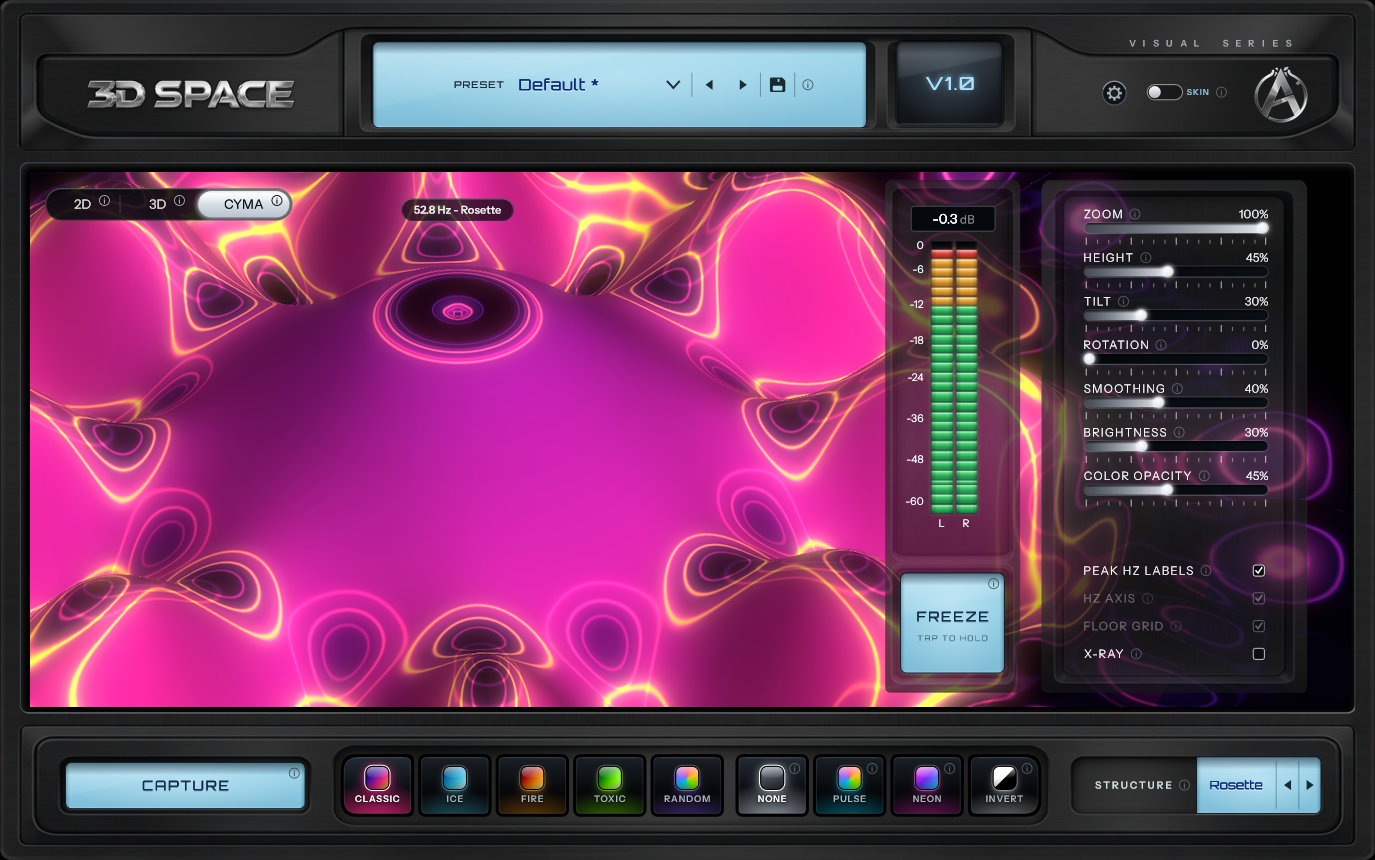
In 3D and CYMA the picture reaches across the whole window and glows through the smoked glass of the meter and settings panels.

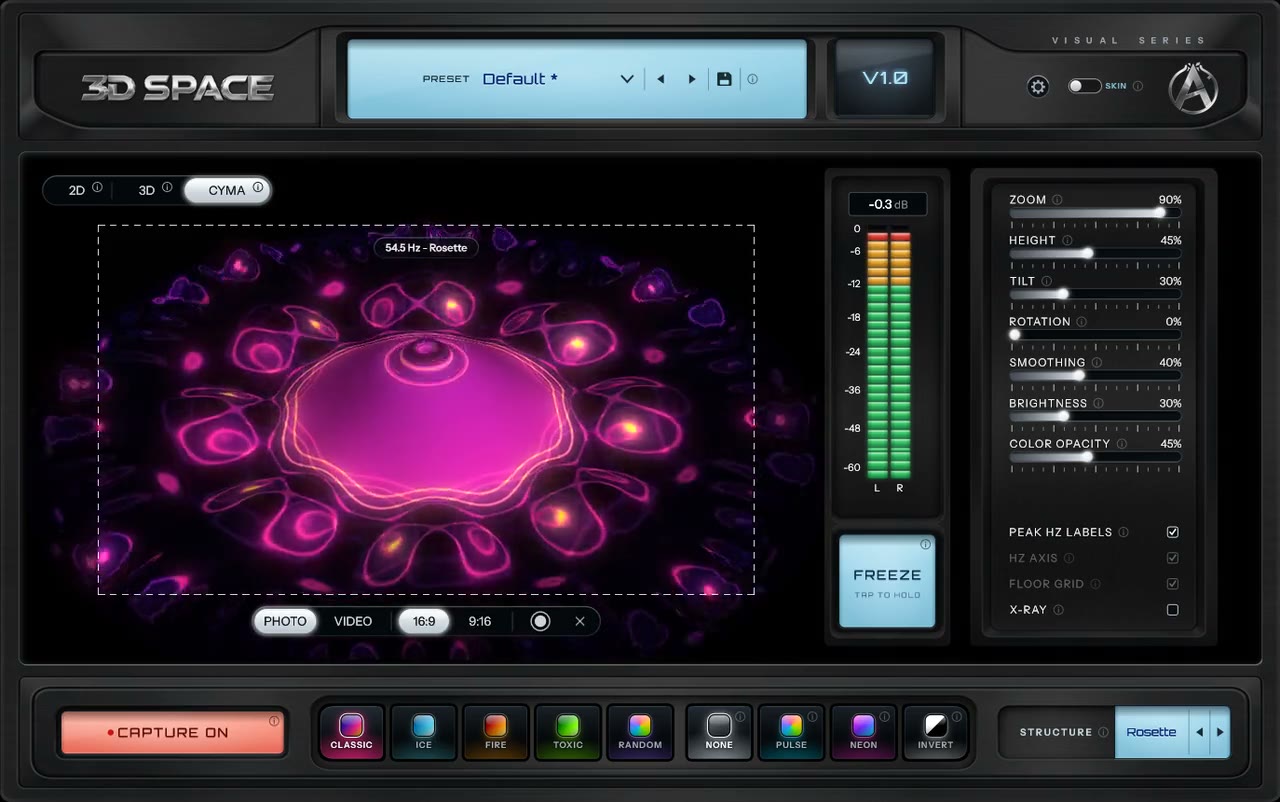
3D SPACE in CYMA view at full zoom: the pink cymatic dish fills the screen and glows through the meter and settings panels
3D SPACE ✦ Full zoom

Full zoom

In 3D and CYMA the Zoom fader moves the camera in. Push it all the way in CYMA and the dish grows until it fills the whole screen.

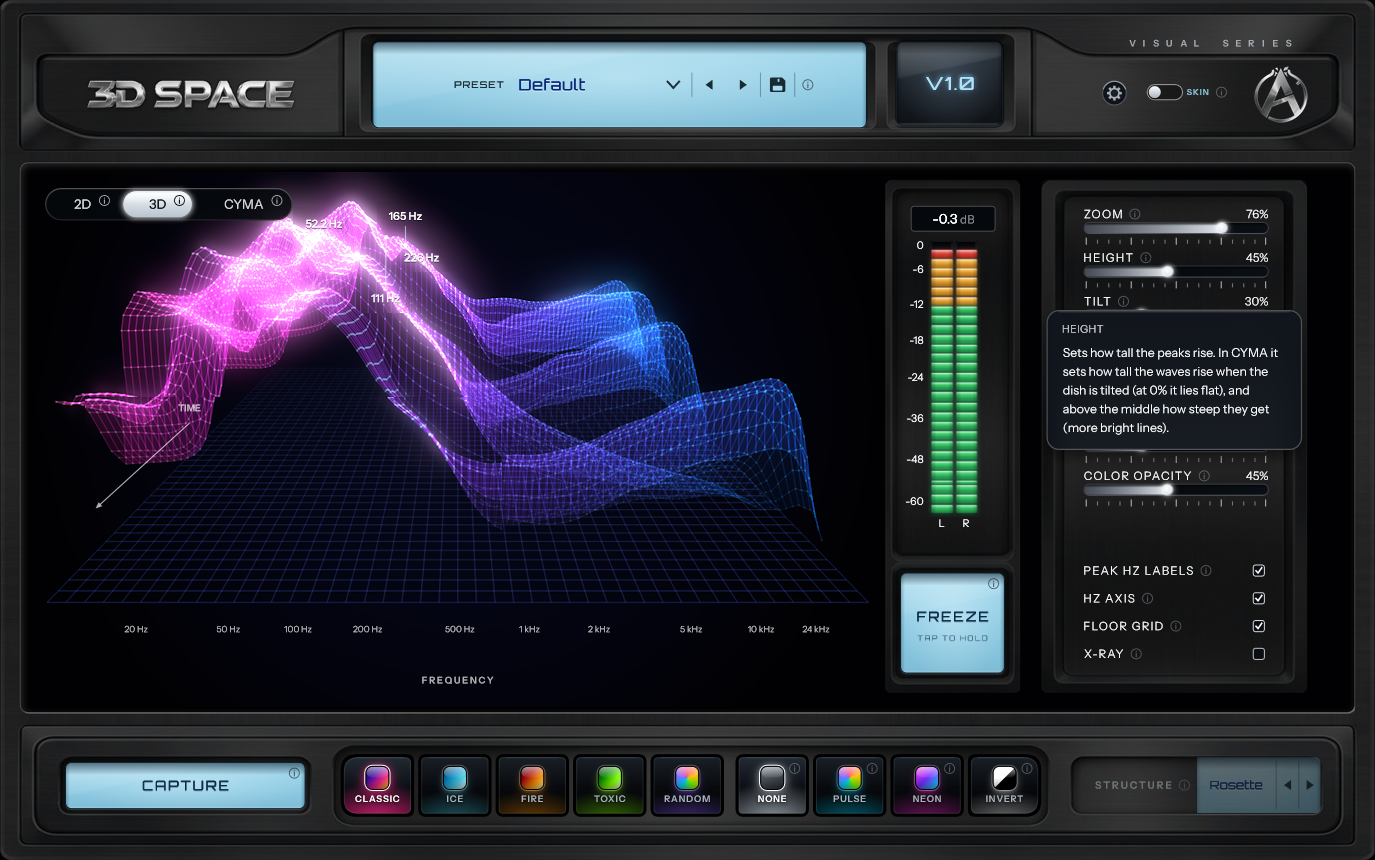
3D SPACE with a help panel open: a smoked-glass box next to the Height fader explaining what it does
3D SPACE ✦ Help on every control

Help on every control

Every feature has an info icon that explains it in a smoked-glass panel. Settings that do nothing in the current view are dimmed and say why. Once you know your way around, Help Mode in the gear menu hides every icon.

FREEZE AND CAPTURE

Freeze it, capture it, post it.

Freeze holds the picture still while the music plays on. Capture saves what you see as a photo or a video, in 16:9 for YouTube or 9:16 for Reels, TikTok and Shorts.

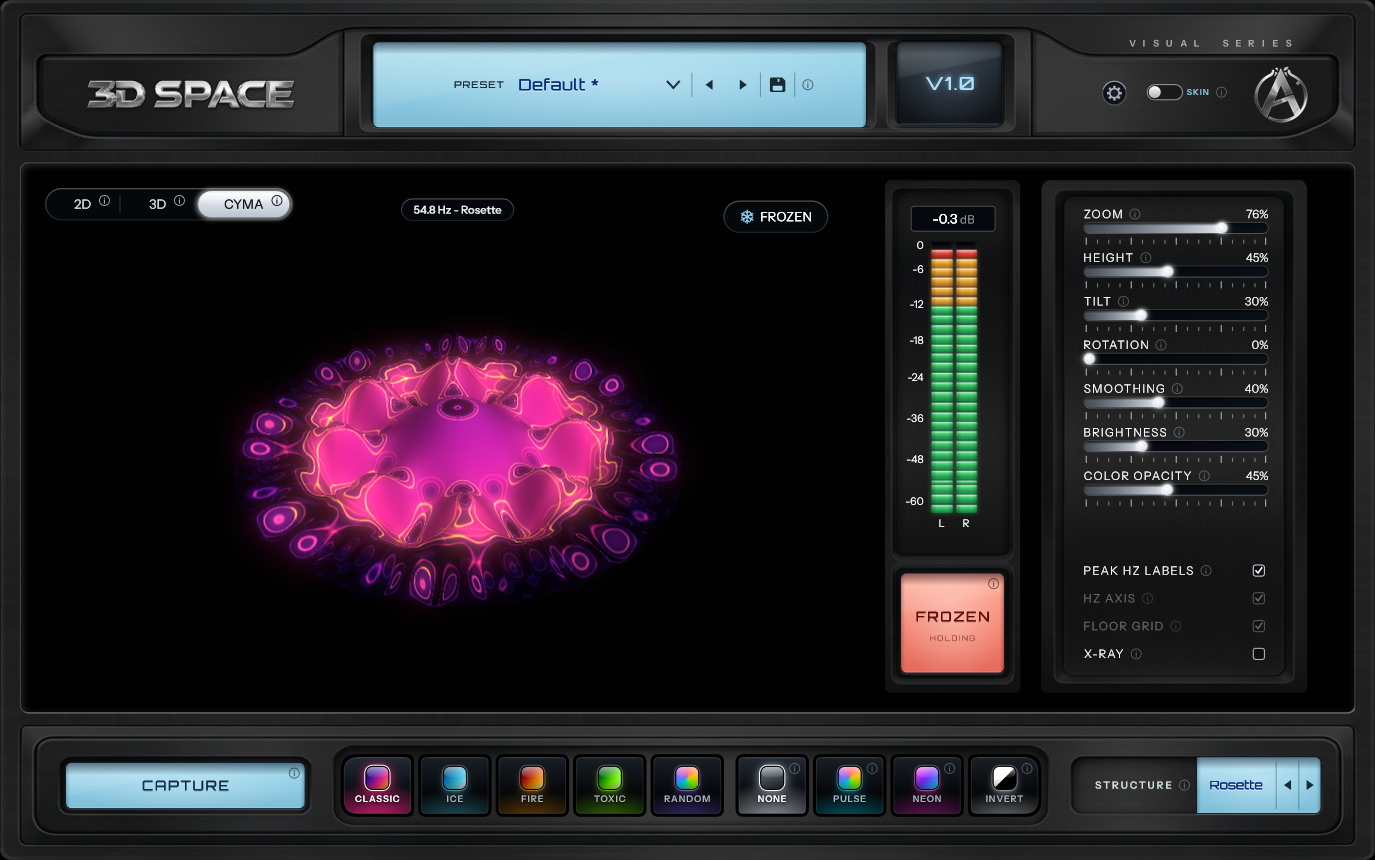
3D SPACE with Freeze on: the CYMA pattern held still, a FROZEN badge on the view and the Freeze button lit red
3D SPACE ✦ Freeze

Freeze

Press FREEZE and the picture stops at that instant. The sound, the meter and every control keep running, so you can still turn, tilt and zoom the frozen picture, or change Height, the palette, the filter, Rotation and the CYMA structure. Each view keeps its own frozen moment.

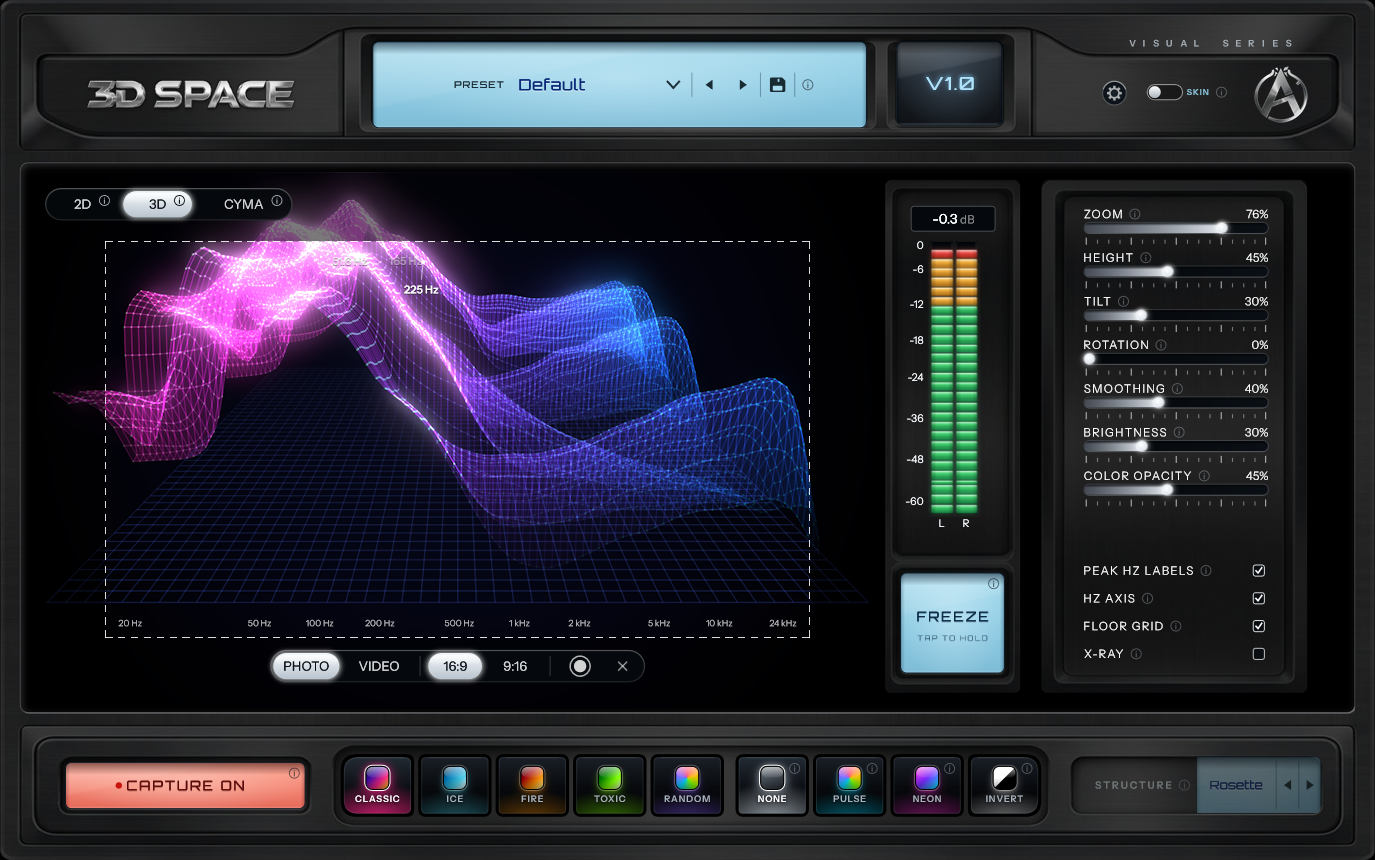
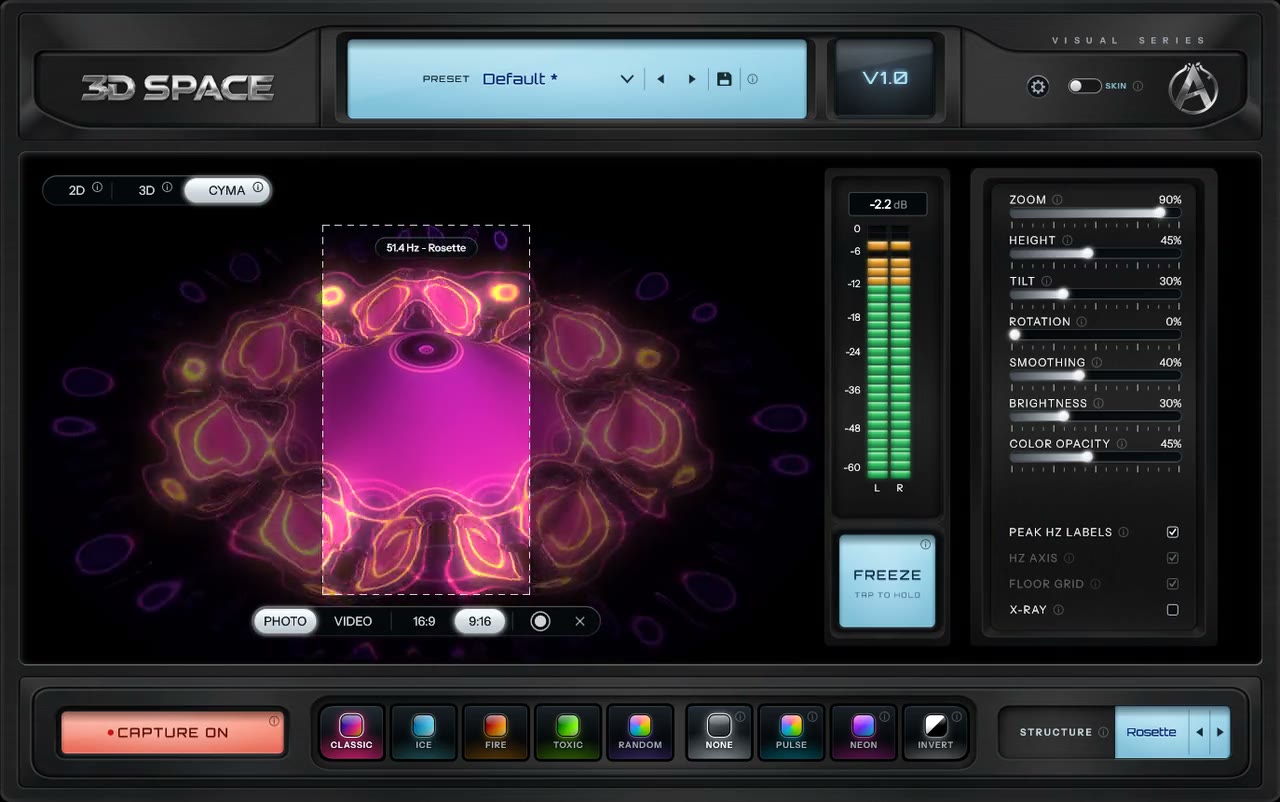
3D SPACE in Capture mode: a dashed 16:9 frame over the 3D view, with Photo, Video, 16:9, 9:16 and record buttons below it
3D SPACE ✦ Capture

Capture

Press CAPTURE and a 16:9 or 9:16 frame appears on the screen. Photo saves what is inside it as a 3840 × 2160 PNG (2160 × 3840 in 9:16), drawn fresh at that size, with the labels if they are on. Video records an MP4 at 60 fps, 1600 × 900 or 900 × 1600, with the sound. A REC timer runs while you record, then you choose Save or Discard. The capture controls never end up in the file.

3D SPACE ✦ How to capture

How to capture

  1. 1.Press CAPTURE. A frame appears over the view.
  2. 2.Pick 16:9 for YouTube or 9:16 for Reels, TikTok and Shorts.
  3. 3.Choose Photo or Video, then press the round button.
  4. 4.Press Save, or Discard to try again.
3D SPACE in Capture mode with a dashed 16:9 frame around the CYMA pattern and the 16:9 button lit
16:9Horizontal, for YouTube
3D SPACE in Capture mode with a tall dashed 9:16 frame over the CYMA pattern and the 9:16 button lit
9:16Vertical, for Reels, TikTok and Shorts

SKINS

Dark or Silver.

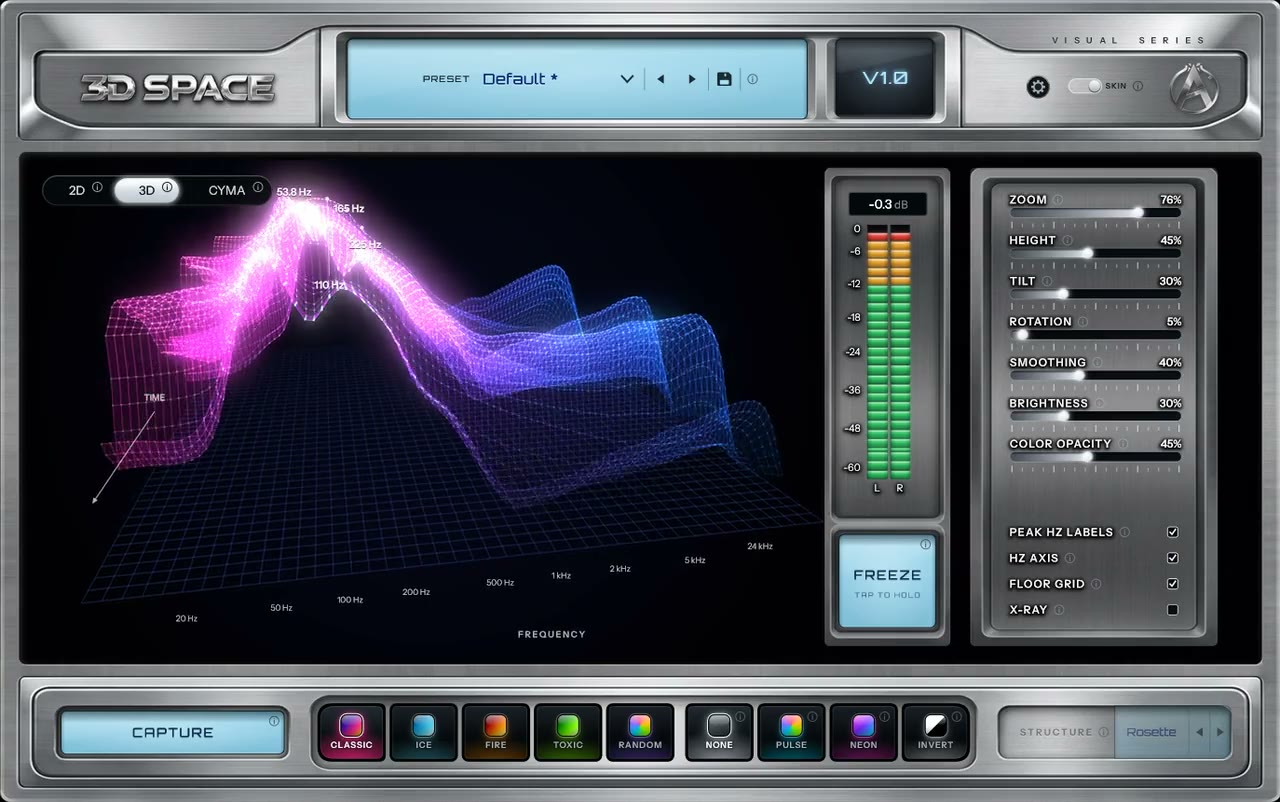
Flip the SKIN switch in the header to change the look. The sound, the views and your settings stay as they are, and 3D SPACE remembers your choice.

3D SPACE ✦ SKIN
3D SPACE in 3D view: the spectrum as a pink to blue wireframe landscape over a floor grid, with peak frequency labels

Dark

The default look, with dark metal panels around the screen.

3D SPACE in the Silver skin: brushed silver panels around the 3D view

Silver

Brushed silver panels around the same black screen.

COLOURS, DESIGNS AND PRESETS

Make it look the way you want.

Shape the picture

Seven faders (Zoom, Height, Tilt, Rotation, Smoothing, Brightness, Color Opacity), four switches (Peak Hz Labels, Hz Axis, Floor Grid, X-Ray), five palettes (Classic, Ice, Fire, Toxic, Random) and four filters (None, Pulse, Neon, Invert). Random makes a new palette on every click.

Presets and recall

15 built-in presets plus your own, saved from the header. Right-click any preset (Control-click on a Mac) to rename it, delete it or set it as the default. A preset keeps the exact view angle you dragged to. Every setting is saved with your DAW session, and Ctrl / Cmd + Z and Y undo and redo your edits.

3D SPACE ✦ PALETTES, FILTERS, PRESETS
3D SPACE palette tiles (Classic, Ice, Fire, Toxic, Random) and filter tiles (None, Pulse, Neon, Invert)
Palettes and filters3D SPACE

FEATURES

Accurate numbers, and a picture worth watching.

01

Calibrated analysis

An 8192-point FFT on logarithmic bands, calibrated in dBFS. The frequency axis ends at half your session's sample rate on its own: 22k at 44.1 kHz, 24k at 48 kHz, 48k at 96 kHz. Peak Hz Labels stay calm on busy material, and an L/R meter with peak hold sits next to the view.

02

No graphics driver needed

The 3D and CYMA scenes are drawn by the plugin's own renderer on the CPU, on background threads, never on the audio thread. No OpenGL driver is involved. The drawing only runs while the plugin window is open.

03

Your sound stays untouched

3D SPACE only reads the audio. The signal passes through bit for bit with 0 samples of latency, so you can leave it on any track or on the master.

04

Standalone app

Run it without a DAW: import an audio file, play, loop and scrub it, or analyze the live input of your audio device. The last file you opened comes back the next time.

SPECIFICATIONS

The details.

WindowsmacOS
VST3AUAAXStandalone

3D SPACE

almudio

FormatsVST3 · AU · AAX · Standalone
PlatformsWindows (64-bit) · macOS 11 or later (Apple silicon and Intel)
Views2D · 3D · CYMA
Analysis8192-point FFT · logarithmic bands · calibrated dBFS
Presets15 built-in, plus your own
Photo capturePNG · 3840 × 2160 or 2160 × 3840
Video captureMP4 · H.264 · 60 fps · 1600 × 900 or 900 × 1600 · AAC stereo sound
SkinsDark · Silver
Latency0 samples
Interface sizes75% · 100% · 125%
Version1.0.0
One-time purchase$39.99

FAQ

Questions.

ABOUT 3D SPACE

Is 3D SPACE a spectrum analyzer or a visualizer?

Both. The 2D view is a calibrated spectrum analyzer (or spectrum analyser, if you are in the UK) with peak Hz labels you can mix with. The 3D and CYMA views turn the same live analysis into a 3D spectrogram and cymatic patterns you can capture and post.

Can I make a visualizer video for my beat?

Yes, on Windows and Mac. Put 3D SPACE on your master, press CAPTURE and record an MP4 at 60 fps with the sound, in 16:9 for YouTube or 9:16 for Reels, TikTok and Shorts.

Does 3D SPACE change my sound?

No. It only reads the audio. The signal passes through untouched, bit for bit, with 0 samples of latency.

Can I save a photo or a video of what I see?

Yes. Capture saves a 3840 × 2160 PNG (2160 × 3840 in 9:16) or an MP4 video at 60 fps with the sound, in 16:9 or 9:16, on Windows and Mac.

Which presets come with it?

Fifteen: Mix Check, Ice Line, Fire Detail, Toxic Glide, Pulse Wave, Default, Deep Space, Fire Wall, Toxic X-Ray, Neon Orbit, Pulse Cyma, Ice Cyma, Fire Mandala, Toxic Spiral and Neon Crystal. Your own presets sit next to them, and a right-click renames, deletes or sets any preset as the default.

Are my settings saved with my project?

Yes. Every setting is saved with your DAW session, including the view angle and the Random palette.

COMPATIBILITY

Which formats and systems does it run on?

VST3, AAX and a standalone app on Windows (64-bit), and VST3, AU, AAX and a standalone app on macOS 11 or later (Apple silicon and Intel). It runs in any DAW that hosts VST3, AU or AAX plugins, such as Ableton Live, Logic Pro, Pro Tools, FL Studio, Cubase, Nuendo, Reaper, Bitwig Studio, GarageBand, Audacity and Studio One.

Do I need a strong graphics card?

No. 3D SPACE does not use OpenGL. Its scenes are drawn by its own renderer on the CPU, on background threads, never on the audio thread, and only while the plugin window is open.

Can I use it without a DAW?

Yes. The standalone app plays and loops audio files, and it can analyze the live input of your audio device.

INSTALL & TROUBLESHOOTING

The plugin doesn't show up in my DAW.

The installer puts the plugin in the standard folders every DAW looks in. On Windows: C:\Program Files\Common Files\VST3 for VST3, and C:\Program Files\Common Files\Avid\Audio\Plug-Ins for AAX. On a Mac: /Library/Audio/Plug-Ins/VST3 for VST3, /Library/Audio/Plug-Ins/Components for AU, and /Library/Application Support/Avid/Audio/Plug-Ins for AAX. If the plugin is there but your DAW doesn't list it, rescan your plugins or restart the DAW. In Ableton Live, turn on "Use VST3 Plug-in System Folders" in the Plug-ins settings. In Logic Pro, open the Plug-in Manager and rescan it. Pro Tools finds new AAX plugins when it starts. Still missing? Email support@almudio.com with your DAW, its version and your system.

LICENSE & ORDERS

How does the license work?

It is a one-time purchase and your license key lives in your almudio account. Paste it into the plugin once: a quick online check binds it to your computer, then it works offline. One license activates on up to 2 computers.

Why is the total at checkout different from the price?

Our payment partner, Paddle, works out sales tax or VAT from your billing country. In some countries the tax is already part of the price, and in others it is added at checkout. Either way, you see the full total before you pay.

Can I pay in my own currency?

In many countries, yes. Prices on the site are in US dollars, and the checkout converts them to your local currency, such as euros, pounds, yen, or Canadian or Australian dollars.

Where do I enter a discount code?

In the checkout, before you pay. Each order takes one code. If a code doesn't work, email support@almudio.com with the code and we'll check it.

Where do I get my receipt or invoice?

Paddle emails your receipt as soon as you pay. You can also download the invoice for any order from the Orders page in your almudio account.

What's your refund policy?

If you bought a plugin and something isn't right, email us at support@almudio.com with your order details. Refunds are handled by Paddle, our payment processor, and returned to your original method (the license is deactivated when refunded).

READY?

See what your mix looks like.

3D SPACE$39.99One-time purchase
WindowsmacOS
VST3AUAAXStandalone

Another question? Get in touch

3D SPACE: 3D Spectrum Analyzer and Audio Visualizer Plugin